
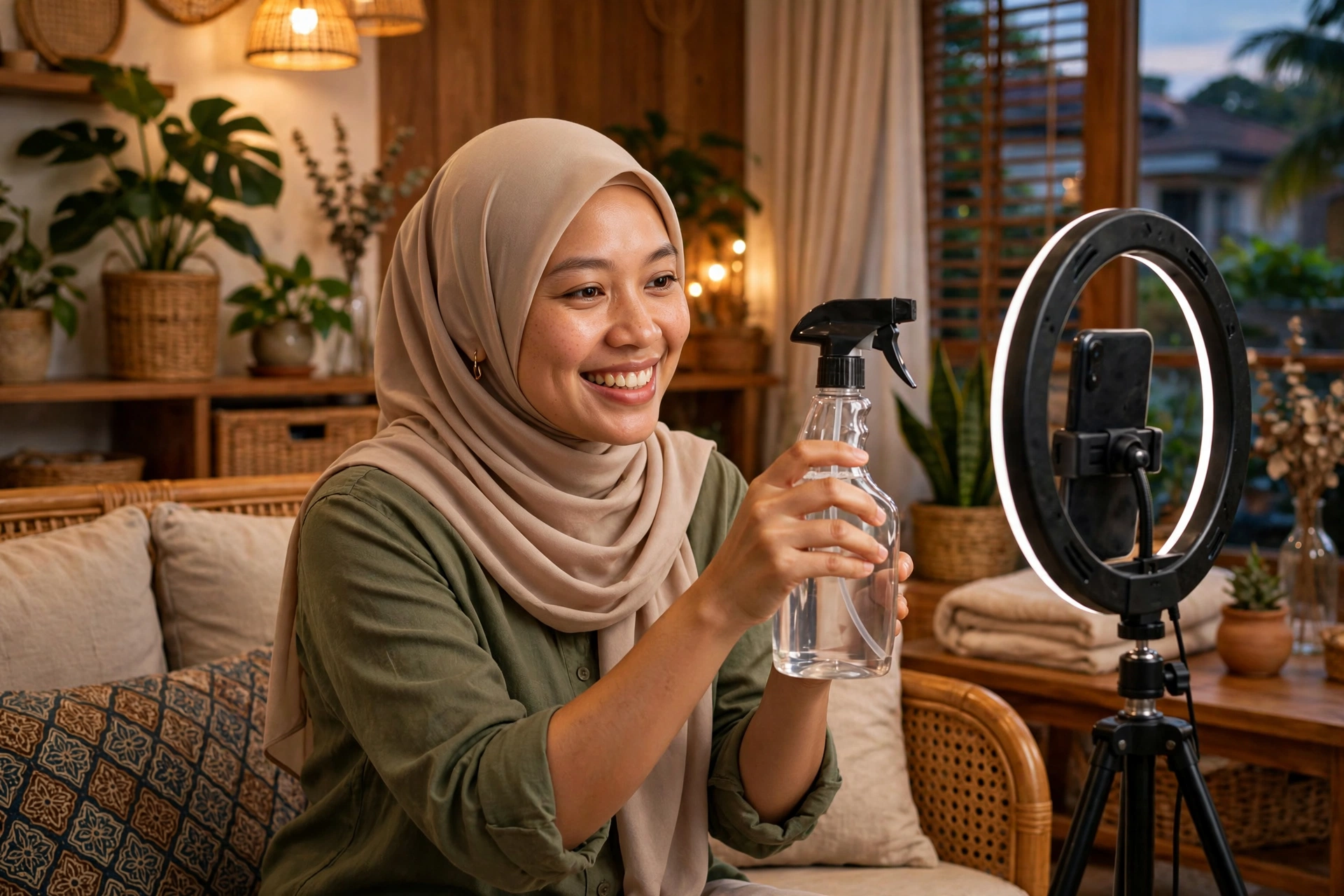
If you are looking for practical TikTok LIVE selling tips for affiliate creators in Malaysia, start with this mindset: a LIVE session is not a longer video. It is a conversation where viewers can ask, compare and decide in real time — and your job is to make that decision easy and honest. Creators who improve steadily prepare a clear line-up, demonstrate properly, answer questions well, and review every session afterwards. This guide shows you how.
Why LIVE Works Differently From Short Videos
A short video has to earn attention in seconds and make one point well. LIVE gives you time — but only if viewers choose to stay. Trust is built in front of everyone: viewers watch how you handle a product, how you answer a difficult question, and whether you admit what a product cannot do.
That is why LIVE suits products that need a demo, a size or colour comparison, or a quick question-and-answer before buying. A messy, unplanned LIVE can hurt: unclear details are visible in real time. Treat LIVE as your shopfront, not a casual chat. If you are still choosing what to feature, start with products that have passed a proper check — see our guide on how to choose winning products as a TikTok Shop affiliate in Malaysia: https://carnonmedia.com/how-to-choose-winning-products-tiktok-shop-affiliate-malaysia/
Prepare Before You Press Go LIVE
Good LIVE sessions look relaxed because preparation happened beforehand.
Build a short, focused product line-up
Pick a small group of products that belong together — for example, three to five items for one audience and one occasion, such as quick kitchen helpers for busy working adults. A focused line-up is easier to explain and demonstrate without rushing. Arrange everything in presentation order, within reach.
Check the details viewers will ask about
Before each session, re-check for every product:
- The current price and any voucher or campaign shown on the product page
- Available sizes, colours or variations, and what is currently in stock
- Delivery information and anything buyers commonly misunderstand
- The correct product link, so the right item is pinned during the session
Prices, stock and campaign terms can change, so check the live product page and your Creator Center on the day itself.
Set up for clear sound and picture
You do not need an expensive studio: a quiet corner, a stable phone, light on your face and the product — not behind you — and a tidy background. Test your sound first; viewers leave quickly when they cannot hear you. Keep water nearby and charge your phone fully.
The First Few Minutes: Welcome, Explain, Repeat
Viewers join at different times, so repeat your opening in a natural cycle throughout the session.
Start each cycle simply: welcome new viewers, say who the session is for, name the products you will show, and explain how to find the pinned product. For example: “Welcome in — tonight I am showing three ironless shawls, I will try each colour on, and the one I am wearing is pinned below.”
Then move quickly into your first demo. Do not spend the opening only waiting for more viewers; early viewers who see a real demo are more likely to stay. Every so often, briefly recap what you have shown and which product is pinned now.
Present Each Product Like a Helpful Demo
A reliable structure for each product keeps your LIVE clear and persuasive without hype:
- Name the problem or occasion: “For anyone who irons in a rush before work…”
- Show the product in use, close to the camera and in normal light.
- Explain the details that affect a decision: material, size, fit, care, or how it is used.
- State honestly who it suits — and who it may not suit.
- Give the clear next step: which pinned product to tap to check price, variations and delivery.
Show, do not just tell. Open it, wear it, pour it, fold it, or use it the way a buyer would at home in Malaysia. If a viewer asks something you do not know, say so and check, rather than guessing. One honest “I have not tested that yet” builds more trust than three confident guesses.
Keep your language accurate. Describe only what the product page supports and what you have genuinely tested. Avoid guaranteed results, invented discounts, or urgency that is not real — misleading claims can lead to policy action. Check current requirements in your Creator Center, as rules can vary by category and change over time.
Turn Comments Into Conversations
In LIVE, comments are your sales assistant.
- Read questions out loud and answer by demonstrating. If someone asks about length, show it; if they ask about colour, hold it in natural light.
- Repeat common questions for newer viewers who missed the answer.
- Invite specific questions: “Tell me your usual size and I will show you the closest fit” works better than “Any questions?”
- Thank buyers without pressuring others to buy.
- For price or delivery questions, point viewers to the exact details on the product page, rather than promising something the seller has not stated.
Pace matters too. If one product draws many questions, stay with it longer. If a product gets no response after a fair demo, note it, move on, and review later whether it belongs in your next line-up.
Review Every Session and Stay Compliant
After each session, note:
- Which products earned the most product clicks, questions and orders
- Which questions came up repeatedly — these are ideas for your next short video
- Any claim, price or detail you were unsure about, to check before the next session
Over several sessions, patterns appear: the products your audience trusts and the times that suit your viewers in Malaysia. Change one thing at a time so you can tell what actually helped.
Compliance is part of the review. Follow TikTok Shop policies for LIVE content and claims, and check your Creator Center regularly for updates. Never use another creator’s content as your own, and stop promoting a product after repeated buyer complaints. Protecting your account protects every future session.
Frequently Asked Questions
How long should a new affiliate creator stay LIVE?
Start with a length you can deliver well and repeat consistently, with a prepared line-up throughout. A focused, well-run shorter session serves viewers better than a long, unplanned one. Build duration gradually as confidence grows.
How many products should I show in one LIVE session?
A small, related group you can demonstrate properly is better than a long, random list. Viewers remember a clear theme, and your recap cycle stays clear for newcomers.
What if very few people join my LIVE?
Stay professional and run the session properly anyway — early sessions are practice and track record. Keep demonstrating, answer every question well, then review your timing, title and opening, and promote your next LIVE in your short videos beforehand.
Can I promise discounts or free gifts during LIVE?
Only describe offers actually shown on the product page or campaign at that time. Do not invent discounts, gifts or stock urgency. If unsure, direct viewers to check the product page.
Go LIVE With a Plan This Week
Turning viewers into buyers is rarely about shouting louder or staying online longer. It is about preparation, honest demos, patient answers and a short review after every session. Pick a focused line-up, present each product with the structure above, and let your session notes — not guesswork — shape the next one.
If you want support building your LIVE routine and joining campaigns as part of a TAP & TikTok Agency, explore how Carnon Media works with creators on our affiliate page: https://carnonmedia.com/affiliate/ — or talk to our team via our contact page: https://carnonmedia.com/contact/


Leave a Reply